Stop losing sales to bad crops
Shopify's default center-crop chops off heads, hides products, and squashes photos. Focal Point gives you total control — without ever touching the original file.
Free plan available. No credit card required.
100% Theme Compatible
Works out of the box
Zero File Changes
Non-destructive editing
0
Files Modified
Ever
100%
Theme Compatible
Out of the box
<2min
Setup Time
Install to live
The Problem
Shopify's default crop doesn't know what matters
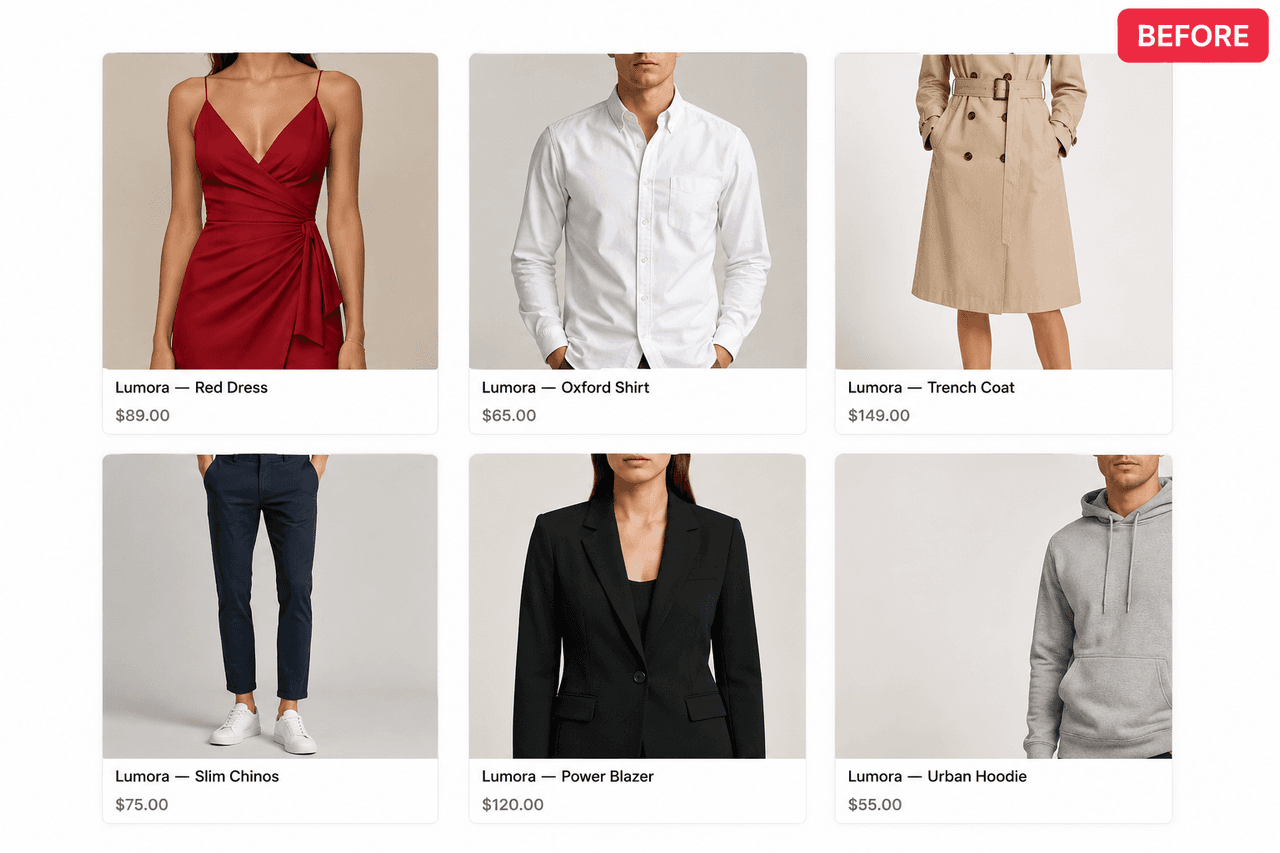
Center-crop guesses. It chops off a model's head on collection grids, crops out the product entirely on tall photos, and squashes wide shots into awkward squares.
The Fix
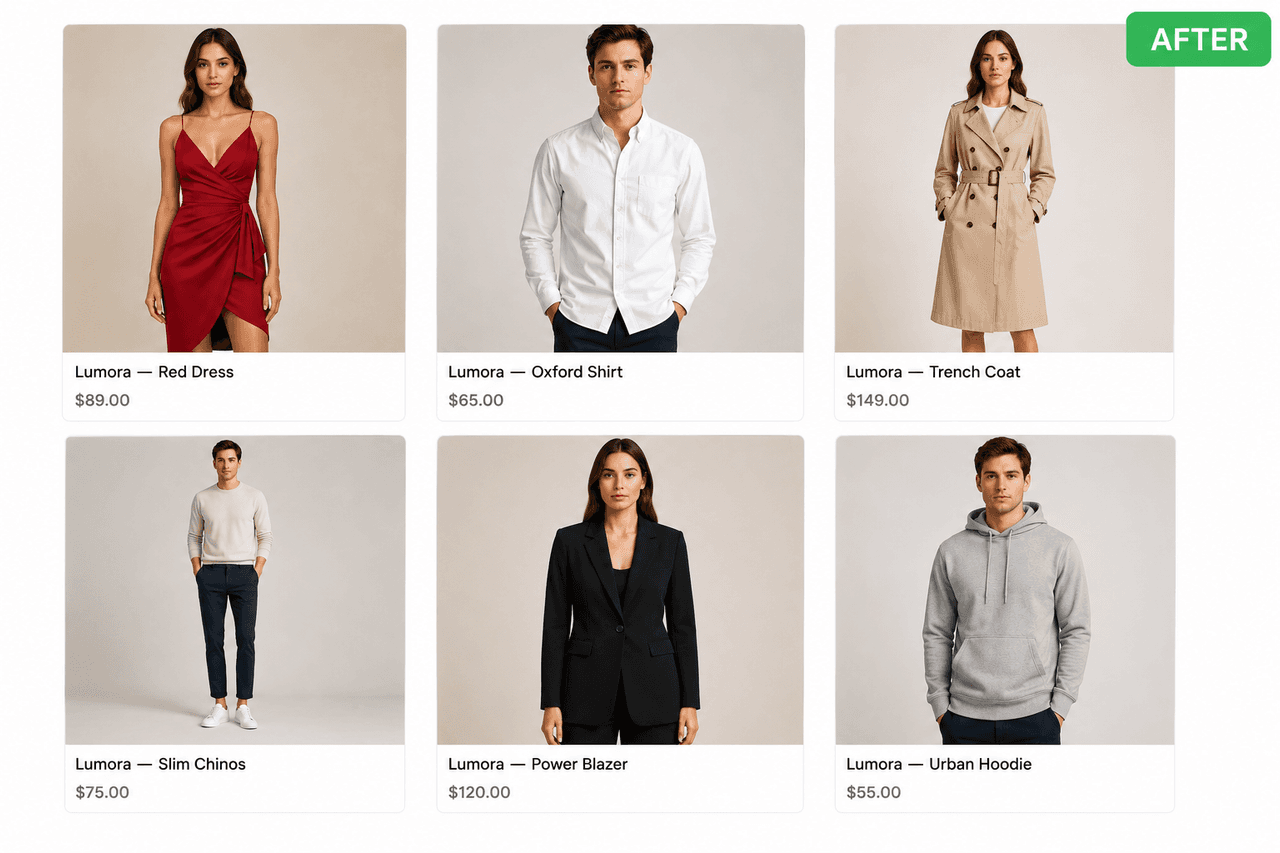
You choose what stays in frame
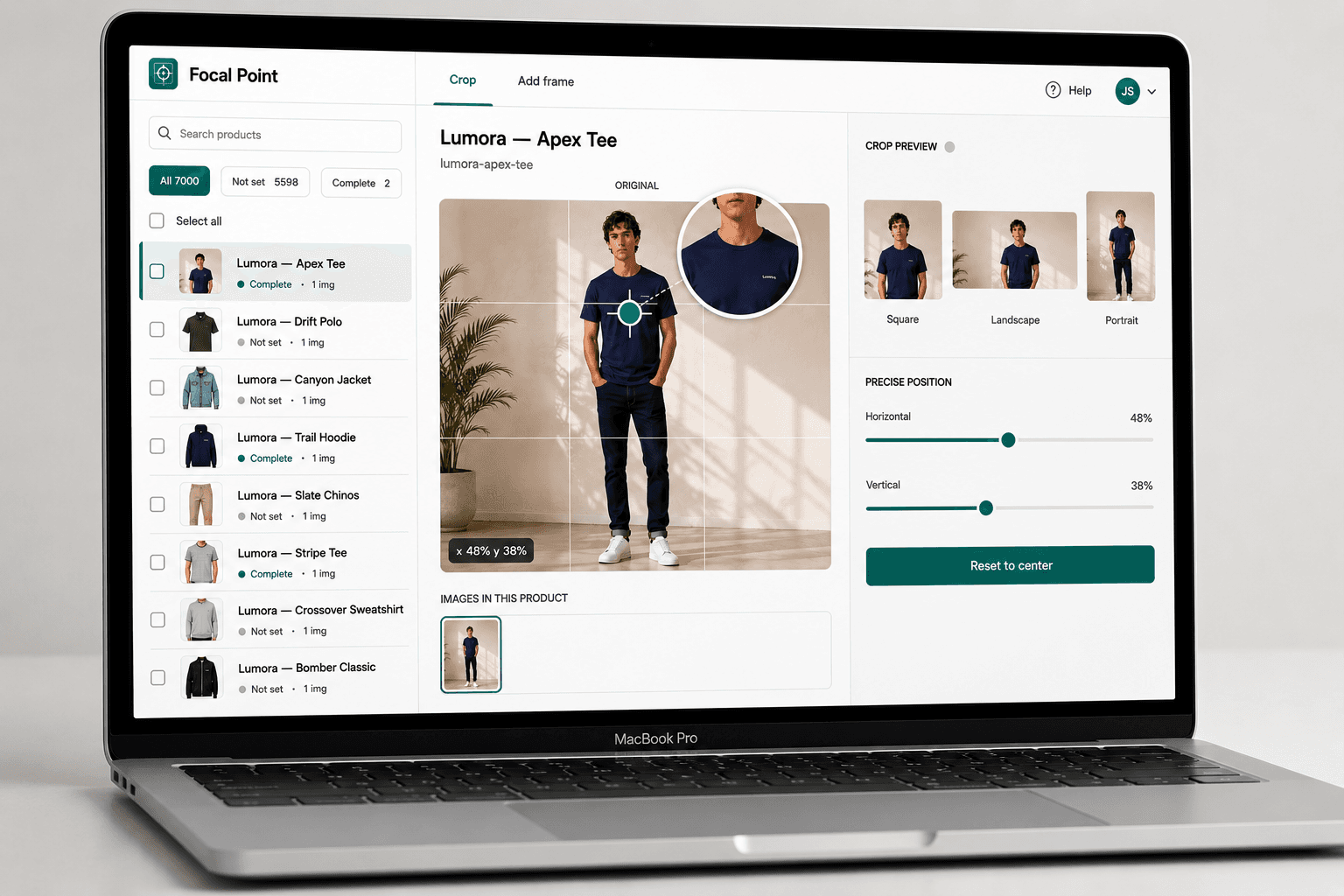
Drag a crosshair to set the focal point. Switch to Frame mode to letterbox instead of crop — with border colors extracted from the photo itself.
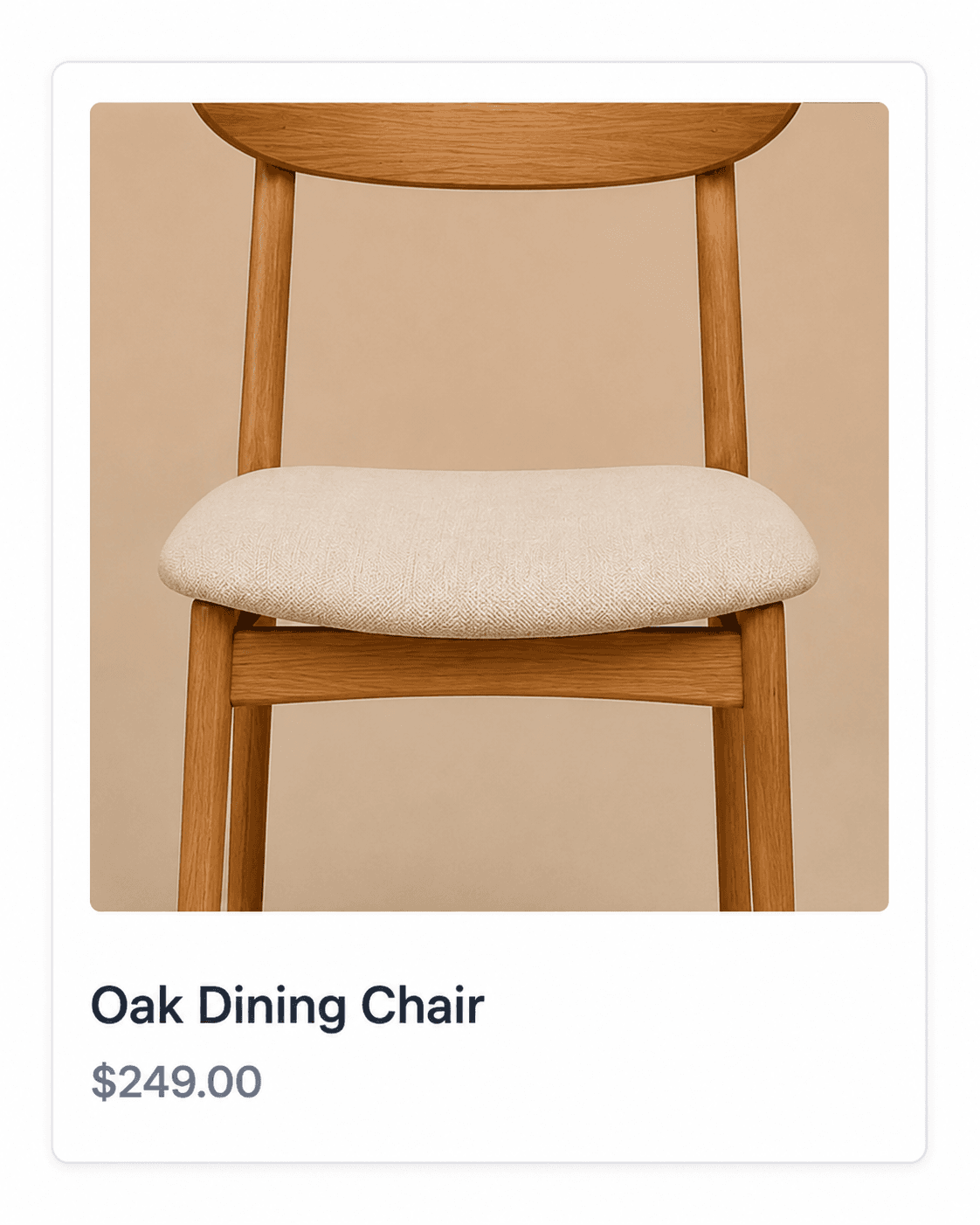
Don't crop it. Frame it.
Some photos just don't crop well. Frame mode letterboxes your image inside a colored border instead — no cropping, ever. Pick your own border color or let the app extract it automatically from the photo itself.
- Choose your own border color with a color picker
- Or auto-extract the color from the photo itself
- Works on square, portrait, and landscape ratios
- No cropping — the full image is always visible
- Toggle per-product: crop some, frame others
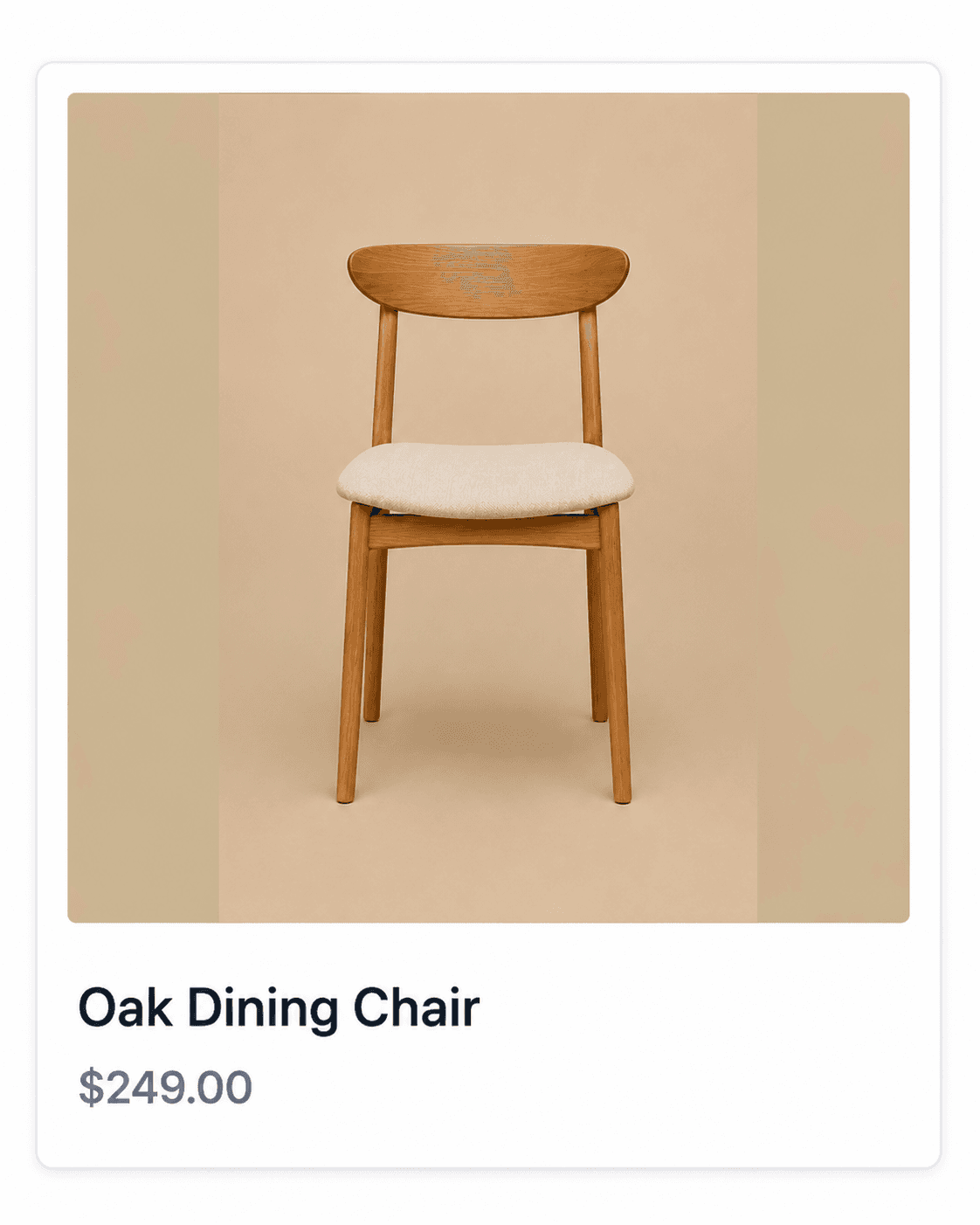
The original image is never modified.
Every crop is applied live via CSS — not by processing or overwriting your files. Remove the app at any time and your images are exactly as you uploaded them.
Features
Everything you need, nothing you don't
Built for one job and done right — no bloat, no upsells to unrelated features.
Drag-to-crop, live preview
See exactly how each crop looks at Square, Portrait, and Landscape aspect ratios as you drag, before you save.
Frame mode
Letterbox images inside a colored border instead of cropping, with colors extracted automatically from the photo.
Zero destructive edits
The app never modifies, replaces, or re-uploads your original image files. Uninstall any time with nothing to undo.
Bulk actions
Apply one focal point across your entire catalog, copy a crop across images, or reset to default — all with a confirmation step.
Works on any theme
No section-by-section setup. Covers collection grids, product pages, cart, search, quick-view, and infinite-scroll out of the box.
Theme compatibility diagnostics
Get a plain-language warning if a theme section can't safely apply a custom crop, instead of a silent failure.
How It Works
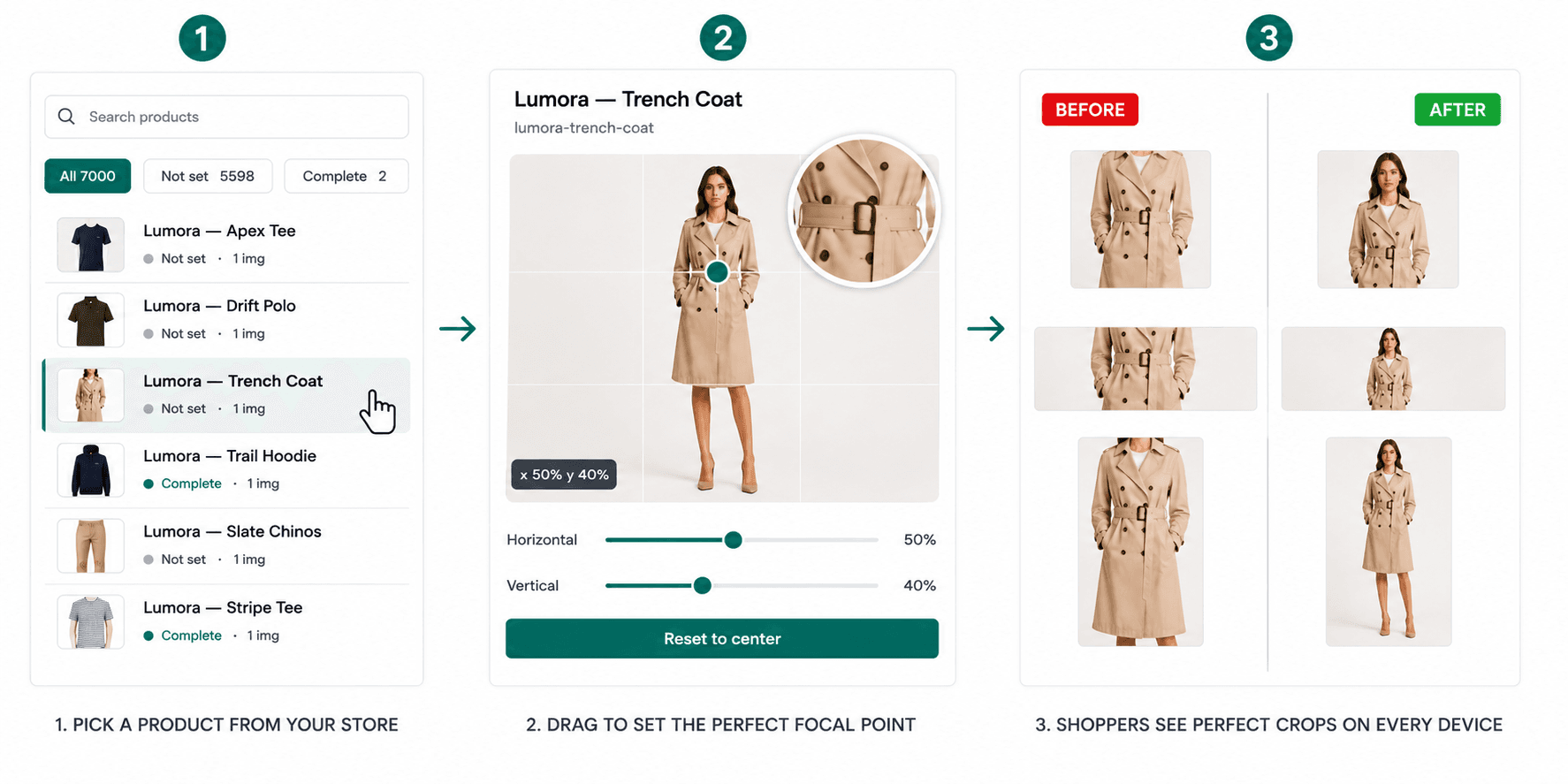
Up and running in under two minutes
Install the app
Add Focal Point from the Shopify App Store. It works instantly with your existing theme — no code changes needed.
Set your focal points
Open any product, drag the crosshair to where the most important part of the image is. Preview crops live.
Perfect crops, everywhere
Collection grids, product pages, cart, search — every surface crops around your chosen focal point automatically.
Get Started
Your product images deserve better
Join merchants who stopped losing sales to bad crops. Free plan available — install in seconds.